How to Run Your First PHP Script Locally

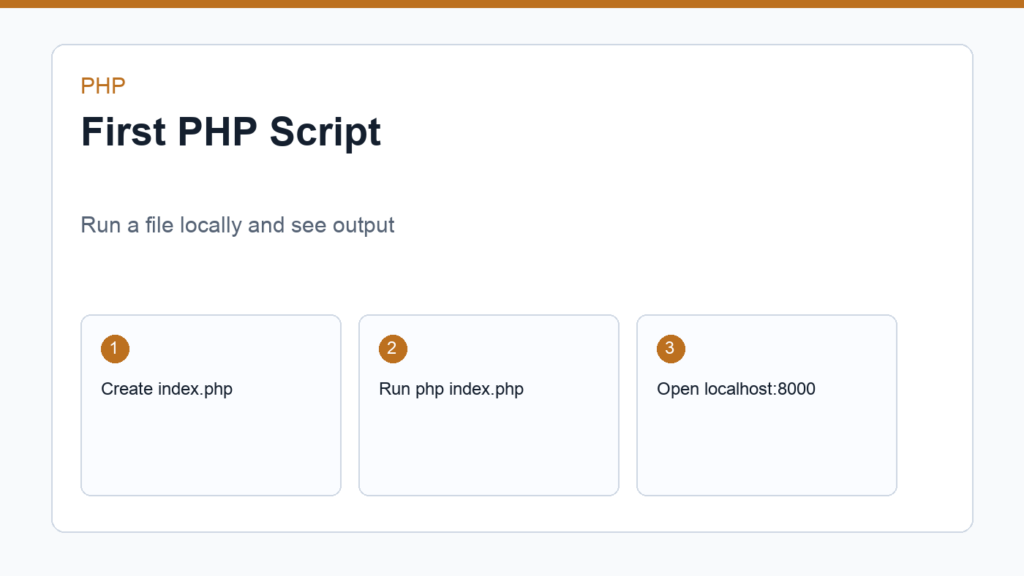
Your first PHP script should be small, visible, and easy to run. The goal is not to build a complete web app yet. The goal is to prove that PHP works on your computer and understand the difference between running PHP in the terminal and serving PHP to a browser.
If PHP is not installed yet, follow How to Install PHP on macOS, Windows, and Linux first. You can also refer to the PHP command line usage documentation when you want more detail about running scripts from the terminal.
First PHP script: create a project folder
Create a folder named first-php-script. Inside that folder, create a file named index.php. Keeping the folder small makes it easy to see exactly what is happening.
first-php-script/
└── index.php
Write the script
Open index.php in your code editor and add this:
<?php
$name = 'Developer';
$time = date('H:i:s');

echo "Hello, {$name}. PHP is running at {$time}.";
This script creates two variables and prints a message. The date() function reads the current server time, so the output can change each time you run the file.
Run the script from the terminal
Open a terminal in the project folder and run:
php index.phpYou should see a message similar to:
Hello, Developer. PHP is running at 14:25:10.If you see php: command not found, PHP is not available in your terminal path. Return to the installation guide and fix that before continuing.
Run the same file in a browser
PHP can also serve the current folder through a local development server. From inside the project folder, run:
php -S localhost:8000Open http://localhost:8000 in your browser. You should see the same message rendered as a web response. This is not a production server. It is a convenient tool for local learning and small examples.
Add HTML output
PHP becomes more useful when it generates HTML. Replace your file with this example:
<?php
$pageTitle = 'My First PHP Page';
$skills = ['variables', 'arrays', 'loops'];
?>

<!doctype html>
<html lang="en">
<head>
    <meta charset="utf-8">
    <title><?= $pageTitle; ?></title>
</head>
<body>
    <h1><?= $pageTitle; ?></h1>
    <ul>
        <?php foreach ($skills as $skill): ?>
            <li><?= $skill; ?></li>
        <?php endforeach; ?>
    </ul>
</body>
</html>
This example mixes PHP and HTML. The short echo syntax <?= ... ?> prints a value. The foreach loop creates one list item for each skill. This pattern appears often in templates, WordPress themes, and older PHP applications.
Understand what the browser receives
The browser does not receive your PHP source code. It receives the output after PHP runs. If you view the page source in the browser, you should see HTML, not the original PHP loop. That distinction is central to server-side development.
If the browser shows raw PHP code, the file is not being executed by PHP. Make sure you are using the local server URL and not opening the file directly from the filesystem.
What to try next
- Change the name variable and rerun the script.
- Add another item to the skills array.
- Create a second PHP file named
about.php. - Use
date()to display the current year in a footer. - Read PHP Syntax Basics to understand each piece more deeply.
Add a query string experiment
Once the page works in your browser, try reading a value from the URL. Open index.php and use this version:
<?php
$name = $_GET['name'] ?? 'Guest';
?>

<h1>Hello, <?= htmlspecialchars($name, ENT_QUOTES, 'UTF-8'); ?></h1>
Now open http://localhost:8000/?name=Tuyen. PHP reads the name value from the query string and prints it into the page. The htmlspecialchars() function escapes the output so user-provided text is safer to display in HTML.
Why this tiny security detail matters
Beginners often print user input directly because it works during a demo. Real applications cannot trust input from URLs, forms, cookies, or APIs. Escaping output is one of the first habits to build because it helps prevent injected HTML or scripts from being rendered as real page content.
You do not need to master web security before writing your first PHP script, but you should notice where data comes from and where it is displayed. That awareness will make later lessons about form handling, validation, sessions, and databases much easier.
Turn the script into a tiny page
Try adding a small navigation list, a paragraph, and a footer. Then create about.php with a different message. You are still writing simple code, but you are starting to think in pages and routes. That is the bridge from isolated scripts to real web projects.
Keep the server running while you edit, refresh the browser after each change, and watch the terminal for errors.
Final thoughts
Your first PHP script proves three important things: PHP can run locally, PHP can generate dynamic output, and the browser receives the result rather than the source code. Once this is clear, the rest of beginner PHP becomes less mysterious. Keep the scripts small, run them often, and connect every new syntax rule to a visible result.
Discussion
Join the conversation