PHP vs JavaScript: What Beginners Should Know

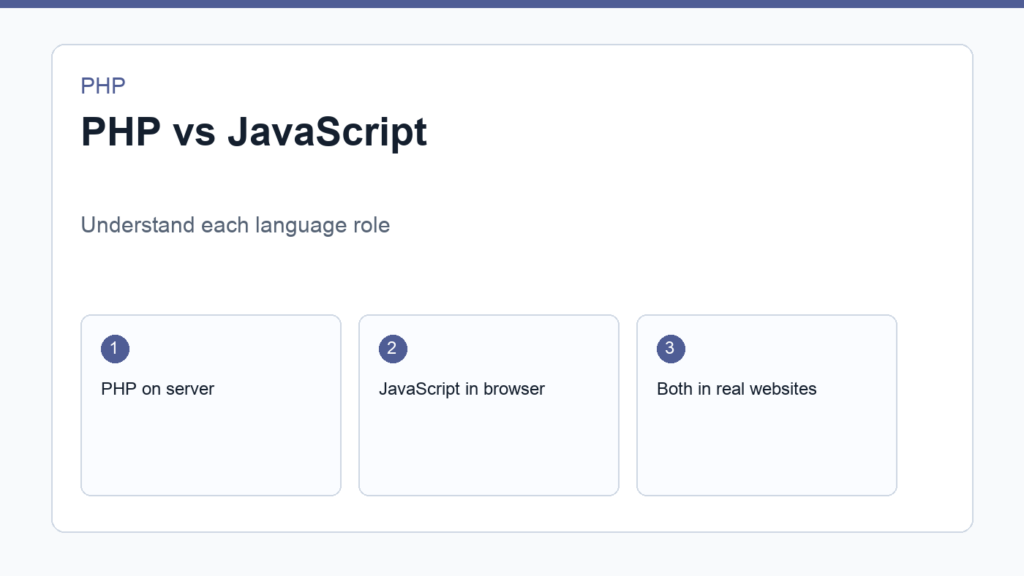
PHP vs JavaScript is a common beginner question because both languages appear in web development tutorials. The short answer is simple: PHP usually runs on the server, while JavaScript traditionally runs in the browser. Modern JavaScript can also run on servers through Node.js, but the beginner distinction is still useful.
You do not need to treat them as enemies. PHP and JavaScript often work together. PHP can generate pages, process forms, talk to databases, and power WordPress or Laravel. JavaScript can add interactivity, validate forms in the browser, fetch data without full page reloads, and build rich front-end interfaces. The official MDN JavaScript documentation and the PHP getting started manual are both worth bookmarking.
PHP vs JavaScript: where they run
PHP normally runs on a web server. A browser requests a URL, the server runs PHP, PHP builds a response, and the browser receives HTML, JSON, or another output. The visitor usually cannot see the PHP source code.
JavaScript most often runs in the visitor’s browser. The browser downloads JavaScript files and executes them on the user’s device. That makes JavaScript ideal for interface behavior: dropdowns, modals, live search, validation messages, sliders, and interactive app screens.
What PHP is good at
- Processing form submissions.
- Reading from and writing to databases.
- Generating dynamic HTML pages.
- Building WordPress themes and plugins.
- Creating Laravel applications and APIs.
- Handling authentication and server-side business logic.
PHP is especially approachable when your goal is backend web development. You can create a file, run a local server, and see output quickly. If your learning path includes WordPress development, PHP is not optional. WordPress core, themes, plugins, hooks, filters, and templates all rely heavily on PHP.
What JavaScript is good at
- Responding to clicks, typing, scrolling, and browser events.
- Updating parts of a page without reloading.
- Building front-end applications with frameworks.
- Calling APIs from the browser.
- Creating interactive charts, maps, editors, and dashboards.
- Running server-side code through Node.js when needed.
JavaScript is essential for front-end development. HTML structures content, CSS styles it, and JavaScript makes it interactive. Even PHP developers benefit from JavaScript because most web projects need some browser behavior.
A simple example with both languages
Imagine a contact form. JavaScript can check whether the email field looks valid before submission. PHP receives the submitted data, validates it again on the server, sends an email, stores a record, and returns a success message.
Both steps matter. Browser-side validation improves the experience, but it is not enough for security because users can bypass JavaScript. Server-side PHP validation is required because the server must never blindly trust incoming data.
Which should beginners learn first?
If your goal is to build WordPress themes, WordPress plugins, or traditional server-rendered websites, learn PHP early. Start with PHP Programming for Beginners, then learn forms, databases, and Composer.
If your goal is front-end development, interactive UI, React, Vue, or browser-based apps, learn JavaScript first. You can add PHP later when you need a backend or when you work on WordPress sites.
If your goal is full-stack web development, learn both, but do not try to master both at the same time. Learn enough HTML and CSS to create pages, then choose one programming language as your main focus for a few weeks. Build small projects before switching contexts.
Beginner learning path
- Learn HTML structure and basic CSS layout.
- Learn PHP syntax basics if you want backend or WordPress work.
- Learn JavaScript fundamentals if you want front-end interactivity.
- Build a form that uses JavaScript for UX and PHP for server processing.
- Add a database after the form workflow feels clear.
How PHP and JavaScript work in WordPress
WordPress is a useful example because it uses both languages. PHP runs on the server to load posts, render templates, apply hooks, read settings, and communicate with the database. JavaScript runs in the browser to power editor interactions, admin screens, blocks, menus, and dynamic front-end behavior.
If you want to customize WordPress deeply, PHP helps you understand themes, plugins, template tags, custom post types, and server-side logic. JavaScript helps you customize blocks, enhance front-end interactions, and build modern admin experiences. The languages are different, but the best WordPress developers know how to let each one do the work it is best suited for.
How PHP and JavaScript work in modern apps
In a modern app, PHP may provide an API and JavaScript may consume that API. The PHP side authenticates users, validates data, saves records, and returns JSON. The JavaScript side renders interface states, sends requests, and updates the screen. This pattern is common in dashboards, SaaS products, ecommerce admin panels, and custom business tools.
Understanding this split helps beginners avoid confusion. When a value must be trusted, saved, or checked against private data, the server should handle it. When an interaction only changes what the user sees in the browser, JavaScript is usually the right place.
A practical answer for beginners
If you are learning to build websites for clients, small businesses, WordPress projects, or Laravel backends, start with enough PHP to process pages and forms. Add JavaScript for interface polish and interactive behavior. If you are learning to build front-end applications, start with JavaScript and learn PHP when you need server-rendered pages, WordPress customization, or a PHP backend.
Final recommendation
The PHP vs JavaScript decision depends on the kind of web development you want to do first. PHP is a strong first language for server-side web development, WordPress, Laravel, and database-backed pages. JavaScript is essential for browser interactivity and modern front-end applications. Most serious web developers eventually use both, but beginners learn faster when they give each language a clear role.
Discussion
Join the conversation